Best air-gapped hardware wallets compared: QR signing, open source, and secure elements
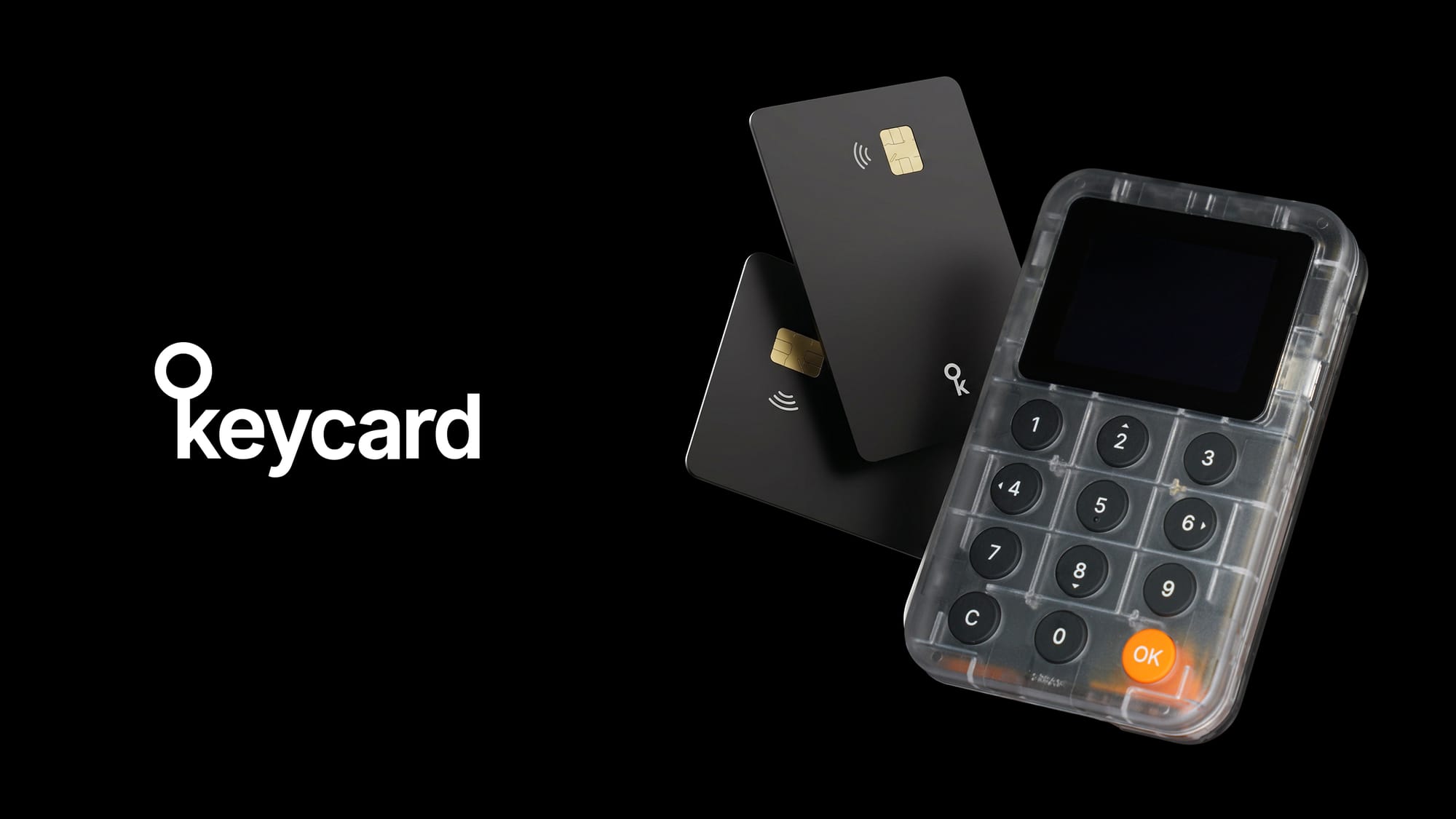
The best air-gapped hardware wallets use QR code signing to keep private keys completely isolated from any networked device. Top contenders include Keycard Shell, Coldcard, Keystone, and Foundation Passport. Each takes a different approach to the air gap, secure element choice, and source code transparency. The right pick depends on which trade-offs matter most to your threat model: verified open-source firmware, the strength of the secure element certification, or the breadth of chain support.
An air gap is a physical separation between the signing device and any network-connected computer or phone. The signing device has no Wi-Fi, no Bluetooth, no cellular radio, and (in the strictest implementations) no USB data path either. Transaction data crosses the gap optically, through QR codes scanned by cameras on both sides.
The typical flow works like this:
- 1A software wallet on a networked computer constructs an unsigned transaction (or PSBT for Bitcoin) and displays it as a QR code.
- 2The air-gapped device scans that QR with its built-in camera, decodes the transaction, and shows the details on its own trusted screen.
- 3The user verifies the recipient, amount, and fee on the device screen, then physically confirms.
- 4The device's secure element signs the transaction hash internally and returns the signature as a new QR code displayed on its screen.
- 5The software wallet scans that signature QR and broadcasts the signed transaction.
At no point does the signing device connect to the internet or exchange data over a wired protocol. The standard that makes this interoperable is BC-UR (Uniform Resources) encoding with animated multi-part QR sequences for payloads that exceed a single frame. BC-UR is the foundation of QR transactions for bitcoin and ethereum/evm, and ERC-4527 is its extension specifically for ethereum/evm.
Trade-off: QR signing is slower than plugging in a USB cable. Large transactions, especially Bitcoin PSBTs with many inputs, require animated QR sequences that can take several seconds to scan. Camera quality matters here; a global-shutter sensor captures full frames without the rolling-shutter distortion that causes scan failures with fast-cycling QR animations.
Boundary: an air gap protects against remote and network-based attacks. It does not protect against a compromised display (showing a wrong address), a tampered firmware, or a user who does not verify what the trusted screen shows. That is why open-source firmware and on-device transaction decoding are complementary defenses, not alternatives to the air gap itself.
A secure element is a tamper-resistant chip designed to resist physical probing, side-channel analysis, fault injection, and software extraction of stored keys. Different devices use different chips with different certification levels, and the distinction matters.
Common Criteria EAL levels are evaluated by accredited labs against the ISO 15408 standard. The number (EAL1 through EAL7) reflects the rigor of the evaluation methodology, not a linear "security score." EAL6+ (semiformally verified design and tested) is the highest level commonly deployed in commercial products. It is the class used in government passports and banking cards.
Key certifications across popular air-gapped wallets:
- NXP JCOP4 P71 (used in Keycard): EAL6+ Common Criteria, AIS-31 PTG.2 hardware TRNG, AVA_VAN.5 vulnerability assessment (the highest CC attack-resistance level).
- Microchip ATECC608A (used in some Coldcard models): not Common Criteria certified at a published EAL level; relies on proprietary security claims.
- Infineon SLE 97 family (used in some Ledger models): EAL5+ or EAL6+ depending on variant.
Boundary: EAL certification applies to the chip, not the entire device. A wallet with an EAL6+ secure element can still have vulnerable firmware, a compromised bootloader, or a supply-chain attack at the assembly level. Certification tells you the chip resisted trained evaluators with professional equipment within the scope of the evaluation. It does not make the whole product "EAL6+ certified."
| Attribute | Keycard (Shell) | Coldcard Mk4 / Q | Keystone 3 Pro | Foundation Passport |
|---|---|---|---|---|
| Secure element (card/device) | NXP JCOP4 P71, EAL6+ | Microchip ATECC608B/C (SE1) + Maxim DS28C36B (SE2) | 3× Infineon SLE97 (EAL5+) | Microchip ATECC608B |
| Shell/host MCU certification | STM32H573, PSA Level 3 / SESIP3 | None published | None published | None published |
| Air-gap method | Camera + QR (ERC-4527, animated UR2.0) | MicroSD PSBT (primary); QR & NFC on Q | Camera + QR (ERC-4527) + microSD | Camera + QR + microSD |
| Source model | Open source with permissive license (firmware, bootloader, hardware, BOM, 3D files) | Firmware open source with restrictive license; hardware closed | Firmware open source; hardware schematics & BOM open (MH1903 MCU binary closed) | Firmware and hardware open source |
| Reproducible builds | Yes (Shell firmware, CMake + Python tooling) | Yes | No | Yes |
| Key architecture | Keys live on removable smartcard; Shell is stateless | Keys on device SE | Keys split across 3 SEs | Keys on device SE |
| Firmware updatability (card) | Card applet immutable (deliberate supply-chain defense) | Firmware updatable | Firmware updatable | Firmware updatable |
| Bitcoin multisig role | Signer only; coordination via Sparrow, Nunchuk, Specter | Signer; coordination via Sparrow, Specter, Nunchuk | Signer only | Signer only |
| Chain support | Bitcoin + Ethereum / all EVM chains and L2s | Bitcoin & testnet only | Bitcoin + Ethereum + many altcoins | Bitcoin only |
| Unique physical property | Credit-card-sized smartcard, no battery, 20+ year lifespan; Shell uses replaceable Nokia BL-4C battery | Trick PINs, QWERTY keyboard (Q) | Fingerprint sensor | Rechargeable Li-ion, removable |
Keycard's architecture is fundamentally different from the others: the secure element is a removable smartcard, not soldered onto a board. When you pull the Keycard out of the Shell, the Shell retains zero keys and zero user data. This means a single Shell can serve unlimited Keycards (swap cards without re-pairing), and a single Keycard can be used across multiple Shells or tapped directly to a phone over NFC for quick signing.
Coldcard and Passport are Bitcoin-focused, which appeals to users who want minimal firmware complexity. Keystone covers the broadest altcoin range. Keycard covers Bitcoin and the entire EVM ecosystem while keeping the firmware scope tight through its smartcard-based separation of concerns.
Remote/network attacker. The air gap eliminates this vector entirely. No IP stack, no Bluetooth stack, no attack surface reachable over a network. Every device in this comparison achieves this when used in QR-only mode (microSD introduces a limited data channel that is harder to verify visually).
Malware on the connected host. A compromised laptop can display a manipulated transaction in its own wallet UI, but the air-gapped device shows the real transaction data on its trusted screen. This defense depends entirely on the user actually reading the device screen before confirming. Keycard Shell decodes Ethereum calldata (including ERC-20 transfers, EIP-712 typed data, Gnosis Safe transactions, and Permit/Permit2 approvals) and Bitcoin PSBTs with per-output detail, reducing the risk of blind signing. Keycard Shell is also the first ever ERC-8213 compliant hardware wallet, by showing the call data hash for transactions or messages.
Physical theft of the device. PIN protection is the first barrier. Keycard enforces a 6-digit PIN with a configurable retry limit (2 to 10 attempts, default 3), after which the card locks. A 12-digit PUK allows recovery (3 to 12 attempts), with permanent lock after exhaustion unless a factory reset is performed. The optional duress PIN unlocks a cryptographically distinct decoy wallet, and the card reveals no indication of which PIN was entered.
Supply-chain tampering. This is where open source, reproducible builds, and authenticity verification converge. Keycard Shell firmware is reproducibly buildable from source, and both the Shell (via its STM32 device key and mutual authentication at shell.keycard.tech/verify). The card carries a factory-signed ECDSA certificate in the Ident applet to verify genuine card origin, though the software running on the card itself cannot be reproducibly verified. The card's applet immutability means a supply-chain attacker cannot silently push a firmware update after manufacture.
Limitation. The NXP JCOP4 P71 silicon itself is proprietary. This is the main trust assumption across nearly all secure-element-based wallets (Infineon and Microchip chips are similarly closed). The Common Criteria EAL6+ evaluation and billions of deployed units in passports and bank cards provide the best available external assurance, but no secure element offers full silicon transparency today.
An air-gapped device asks you to trust its screen and its signing logic. Open-source firmware lets independent researchers verify that the device signs exactly what it displays, that no exfiltration channel is hidden in the QR output, and that key generation uses a genuine random source.
Keycard goes further than most by open-sourcing not just firmware but the bootloader, hardware schematics, bill of materials, and 3D enclosure files under the MIT license. A sufficiently motivated user can build a Shell from published hardware files, compile firmware with their own signing keys, buy a blank NXP JCOP4 JavaCard, compile the Keycard applet, install it, and lock the card themselves. This is a meaningful difference from projects that open-source firmware but keep hardware designs proprietary.
Reproducible builds close the remaining gap: you can verify that the binary running on your device matches the published source, ruling out backdoors inserted at compile time.
What is the best air-gapped hardware wallet for Bitcoin multisig?
For Bitcoin multisig, you need a device that functions as a reliable PSBT signer and integrates with a desktop coordinator like Sparrow, Nunchuk, or Specter. Keycard Shell, Coldcard, Passport, and Keystone all support this workflow. Keycard Shell signs PSBTs via QR (ERC-4527) and works with Sparrow, Nunchuk, Specter, BlueWallet, and others. Multisig coordination and PSBT combining happen in the software wallet, not on the signing device.
Is QR signing safer than USB or Bluetooth?
QR signing eliminates the entire USB and Bluetooth attack surface, which includes driver vulnerabilities, protocol-level exploits, and unauthorized data channels. The trade-off is speed: scanning animated QR codes for large transactions takes longer than a USB transfer. For most threat models, the reduced attack surface outweighs the convenience loss.
Can air-gapped wallets be hacked through the QR codes themselves?
A QR code is just encoded data, typically a CBOR-serialized unsigned transaction or PSBT. The device's firmware must parse this data, so a malformed QR could theoretically trigger a parser vulnerability. This is why open-source, auditable firmware and input validation matter. The optical channel itself cannot carry executable code or inject commands the way a USB connection might.
What does EAL6+ mean for a hardware wallet's secure element?
EAL6+ is a Common Criteria assurance level indicating that the chip's design was semiformally verified and tested by accredited evaluators using professional-grade attack equipment. It covers the chip, not the whole wallet. The NXP JCOP4 P71 in Keycard carries this certification, along with AVA_VAN.5 (the highest vulnerability assessment level). It means the chip resisted expert attacks within the evaluation scope, not that the entire device is certified at that level.
Why does Keycard use a removable smartcard instead of a soldered secure element?
The removable card architecture means the Shell is stateless: pull the card out and the Shell holds zero secrets. You can carry the credit-card-sized Keycard in a physical wallet and leave the Shell at home, swap one Keycard between multiple Shells, or use the same Shell with unlimited different Keycards. This separation also means the card can be used independently over NFC with a phone, without the Shell at all, though that path is not air-gapped.
Does Keycard support Taproot (P2TR) for Bitcoin?
The current Keycard does not support Taproot, which requires Schnorr signatures (BIP340). This is a JavaCard platform limitation on the NXP JCOP4 P71. Schnorr support is planned for Keycard v4 (targeted for production around October 2026). Today, Keycard supports Legacy (P2PKH), Nested SegWit (P2SH), Native SegWit (P2WPKH), and Multisig (P2WSH) address formats.
Can I verify that my Keycard Shell and smartcard are genuine?
Yes. The Shell contains a unique per-device private key in its STM32H573 microcontroller and supports mutual authentication at shell.keycard.tech/verify, including a verification counter and first-verification date to flag cloning attempts. The Keycard itself carries a factory-signed ECDSA certificate in its Ident applet, verifiable via challenge-response without entering a PIN.
What happens if I lose my Keycard Shell?
Since the Shell stores no keys and no user data (it is stateless by design), losing the Shell does not compromise your keys. Your private keys remain inside the Keycard smartcard. You can use the Keycard with another Shell, or tap it directly to a phone via NFC with a compatible wallet like Status or Sparrow. To restore on a completely new setup, you would use your BIP-39 recovery phrase on a new Keycard.