The Importance of Seed Phrases Explained
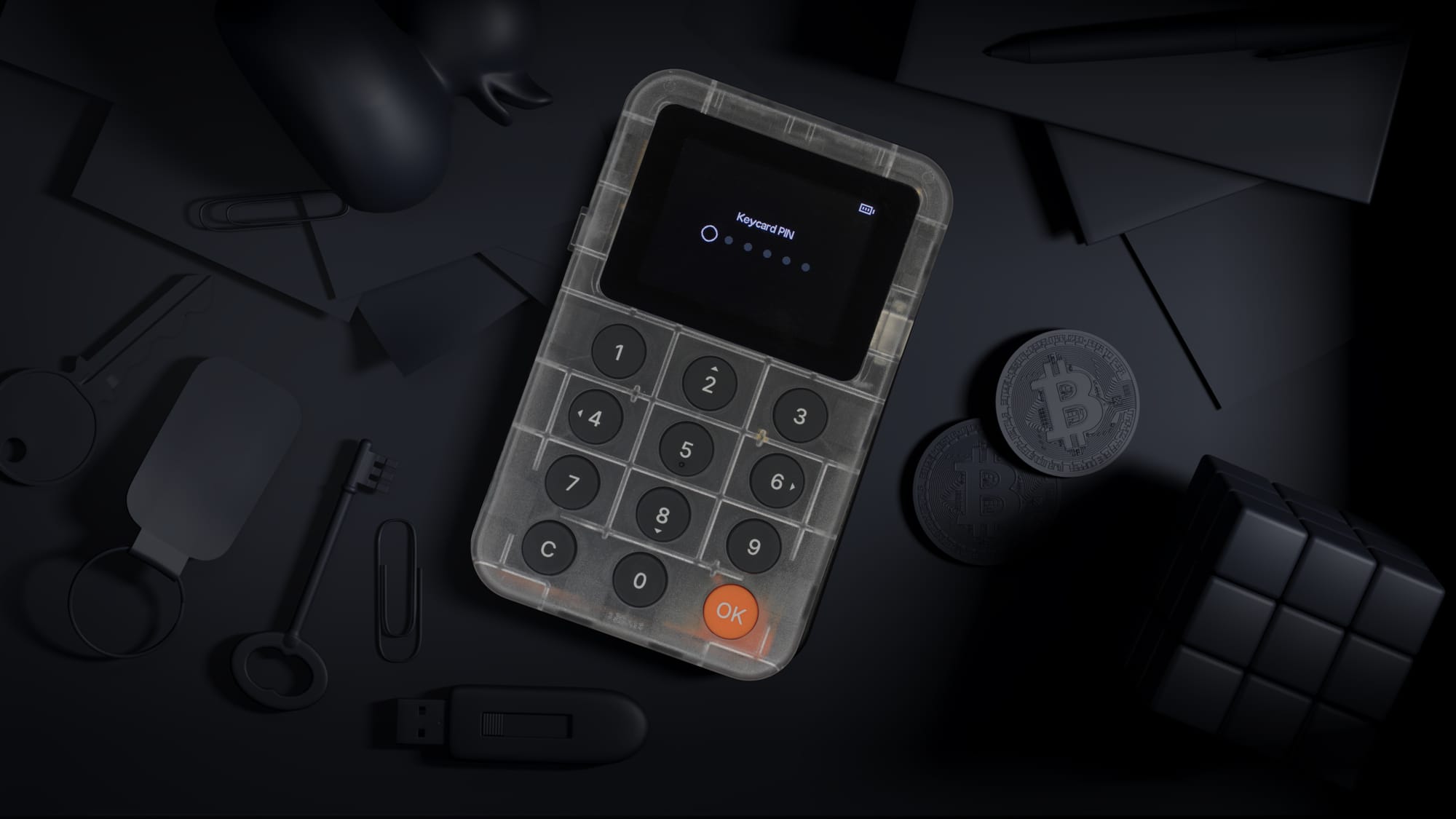
A seed phrase is the human-readable backup that can restore access to a crypto wallet whose keys you hold yourself. It is also the most sensitive part of owning that wallet: anyone who has it can potentially recreate the wallet, while someone who loses it may lose access to their assets. Knowing how the phrase works and how to store it safely matters whether your keys live in a phone app or on a hardware signer such as Keycard.
A seed phrase is a sequence of ordinary words generated when many crypto wallets are created. It is commonly called a recovery phrase, secret recovery phrase, or mnemonic phrase, and it acts as the master backup for the wallet rather than as a normal website password. Ethereum.org describes the recovery phrase as the "master key" to a wallet and warns users never to share it.
The phrase matters because crypto wallets do not usually work like bank accounts with a customer service reset button. When you hold your own keys, you control the credentials that authorize transactions. That control is powerful, but it also means the responsibility for backup, privacy, and recovery sits with you.
Seed phrases are especially important because they make crypto recovery possible if a phone breaks, a laptop is replaced, or a hardware wallet is lost. Instead of depending on one device, the recovery phrase can recreate access in a compatible wallet. That convenience is exactly why it must be protected with more care than a typical password.
This is true of hardware wallets too. On Keycard, the private keys never leave the secure element: signing happens inside the chip, and a stolen phone or infected laptop never sees them. The seed phrase is the only form of that key material that exists outside a secure element, which is why it deserves the same care as the card itself.
Many wallets use standards that turn random data into a list of words people can copy more reliably than a long string of numbers and letters. BIP-39, a widely referenced Bitcoin Improvement Proposal, defines how that random data becomes words, and how the words, plus an optional passphrase, become a binary seed. A second standard, BIP-32, then derives every wallet key from that seed in a structured way.
In simple terms, the wallet starts with secure randomness, writes it as words from a fixed list of 2,048, turns those words into a seed, and derives the keys for accounts and addresses from that seed. The words are not a decorative label. They are a readable representation of the foundation from which wallet access can be restored.
The randomness step is the one nobody sees, and it matters more than any other. If the starting randomness is weak, the words that come out of it are weak too, however carefully you store them. Keycard generates its seed with a true hardware random number generator inside the card's secure element, certified by the German BSI (Germany's federal cybersecurity agency): AIS-31 for the physical randomness and AIS-20 for the engine that expands it. That generator sits inside an NXP JCOP4 P71 secure element certified to Common Criteria EAL6+, the same kind of secure element used in bank cards and passports. (BSI certificate BSI-DSZ-CC-1136 for the generator; NSCIB-CC-180212 for the secure element)
That is why small details matter. The order of the words matters, and so does the spelling. Whether the phrase has 12, 18, or 24 words depends on the wallet, but the principle is the same: the phrase must be recorded exactly as shown. Keycard Shell generates and imports standard 12 or 24-word BIP-39 phrases, and sticking to the standard is what lets the same words work across wallets from different makers.
The language around wallets can be confusing, so it helps to separate the terms. A seed phrase or recovery phrase is the backup phrase you write down and protect. A private key is a cryptographic key that authorizes control over a specific address or account. Public addresses are what you share to receive funds.
Think of it this way:
- Public address: Safe to share when receiving crypto, similar to giving someone a mailing address.
- Private key: A sensitive digital key that can authorize movement of assets from a specific address.
- Seed phrase or recovery phrase: The master backup that can regenerate wallet access and related keys.
- Wallet password or PIN: A local lock for a device, app, or card, not a replacement for the recovery phrase.
A wallet password may stop someone from opening an app on your device, but it does not replace the need for the seed phrase. If the device disappears and the phrase is gone, the password alone will not help. If the phrase is stolen, the thief may not need the original device at all.
Hardware wallets draw the same line. A Keycard is protected by a 6-digit PIN, and the card locks after a set number of wrong attempts (three by default). A 12-digit PUK unlocks a card whose PIN has been forgotten. Neither of them is a backup. They protect the physical card; the seed phrase is what restores the wallet if the card itself is gone.
| Scenario on Keycard | Outcome |
|---|---|
| Card lost | Recoverable from the BIP-39 seed phrase in any compatible wallet |
| PIN forgotten | Unlockable with the PUK |
| PIN and PUK both forgotten | Factory reset the card, then restore from the seed phrase |
| Seed phrase lost, card intact | The card keeps working normally, but you no longer have anything to recover from if the card is lost |
| Seed phrase and card both lost | Total loss |
Every row has a recovery path except the last one. The seed phrase is the only ultimate point of failure, and that is the standard BIP-39 model shared by every hardware wallet built on it, not something specific to one product.
Seed phrase security is unforgiving because the phrase is both backup and authority. If someone tricks you into typing it into a fake website, sending it in a support chat, storing it in an exposed cloud note, or photographing it on a compromised phone, your wallet may be at risk. OpenSea, Ledger, Phantom, and other wallet-related services publish the same core warning: never share a secret recovery phrase, including with people claiming to be support.
The danger is not only advanced hacking. Many losses begin with ordinary human moments: panic during a failed transaction, confusion after installing a new browser extension, or trust in a message that looks official. Scammers know that a seed phrase is the fastest route to wallet access, so they design fake forms, fake support accounts, fake airdrops, and urgent warnings to make people reveal it.
A hardware signer narrows this attack surface, but it does not remove it. Once a Keycard is set up, the keys stay inside the secure element and every transaction is signed on-chip, so there is nothing on your computer or phone for malware to copy. The words you wrote down at setup are a different matter. A phishing page cannot reach inside the card, but it can still ask you to type your phrase, and no chip can stop you from doing that.
A practical rule is simple: your seed phrase should only be entered when you are intentionally restoring a wallet in a trusted environment. It should not be typed into websites, shared in direct messages, pasted into forms, saved in screenshots, or spoken to anyone offering help. No legitimate wallet team, including Keycard's, will ever ask for it.
Good storage is about reducing the chance of both theft and accidental loss. A phrase hidden so well that your trusted recovery plan cannot find it is risky. A phrase kept somewhere convenient but exposed is also risky.
Use this checklist to build a more secure wallet backup:
- Write the phrase offline. Record it by hand during wallet setup instead of saving it in a cloud note, email draft, photo gallery, or messaging app. On a Keycard Shell, the phrase appears on the device's own screen at setup, so it never passes through a computer or phone.
- Check the words immediately. Many wallets ask you to confirm the phrase during setup; take that step seriously and check word order. Keycard Shell will not finish a backup until you pass a short quiz on four randomly chosen word positions.
- Store it away from the device. If a laptop, phone, hardware wallet, and recovery phrase are stolen together, the backup has not reduced risk.
- Protect against fire and water. Paper can work, but it is fragile. Consider whether your storage location could survive realistic household damage.
- Limit who knows it exists. The fewer people who know where the phrase is stored, the smaller the social engineering target.
- Create an inheritance or emergency plan. If appropriate, make sure a trusted person can follow clear instructions without exposing the phrase casually. Because the phrase is standard BIP-39, an heir can restore it in any compatible wallet without needing a particular device or vendor.
CISA's general device-security guidance notes that malicious code can access or steal stored data if a device is compromised, which is one reason offline handling is so important for seed phrases.
Metal seed phrases can be worth considering when long-term durability matters. A metal backup is designed to preserve recovery words more reliably than paper under physical stress such as water damage, tearing, fading, or some fire exposure. It is not magic, however; it still must be hidden, protected, and handled privately.
The benefit of metal storage is resilience. If your recovery plan depends on a single piece of paper in a drawer, you may be protected against device failure but not against physical damage. A well-stored metal backup can make crypto recovery more realistic after a disaster, especially for wallets you intend to keep for years.
The tradeoff is that a metal backup may be more obvious, harder to conceal, or easier to recognize as valuable if discovered. Treat it like a high-value document. Do not engrave or stamp words in a public place, do not photograph the finished backup, and do not store it beside the wallet device.
Hardware wallets built on smartcards add another option alongside the words. The same seed can be loaded onto more than one Keycard, so a spare card kept in a second location is a working wallet, not only a record of one. The card has no battery and no moving parts, is resistant to water, dust and X-rays, and has a 20+ year lifespan. It carries no branding or crypto markings, so it looks like any other card in a drawer.
A backup card adds convenience; it does not replace the words. Your recovery phrase is what keeps you independent of any single device or vendor, because it restores in any compatible wallet, even one that has nothing to do with Keycard. A sensible setup keeps both: the phrase stored offline, and a second card that saves you from typing that phrase into anything if your main card is lost.
There is some evidence people find this reassuring. When the Safe Ecosystem Foundation tested a prototype app that used Keycard NFC cards for recovery, they reported that "a backup keycard builds more trust than we expected, especially because it was physical and could be held in hand. It resonated most with people who carry seed phrase anxiety." Testers found two cards, one primary and one backup, the most workable arrangement. (Safe Foundation, "Built, Tested, Shelved")
Crypto recovery means using the seed phrase to restore wallet access in a compatible wallet. In a typical recovery flow, you install or initialize a wallet, choose the restore option, enter the words in the exact order, and then let the wallet regenerate the accounts it can derive from that phrase.
Before entering a recovery phrase, slow down and check the environment:
- 1Confirm the wallet source. Use official app stores, official device flows, or the wallet provider's own site.
- 2Avoid links from messages. Phishing often begins with a link sent through email, social media, or chat.
- 3Use a clean device when possible. Avoid restoring from a shared, infected, or unfamiliar computer.
- 4Enter the phrase only inside the wallet recovery process. A website asking for the phrase to "verify," "sync," or "unlock" a wallet is a major warning sign.
- 5Check derived accounts carefully. Some wallets require selecting the correct account path or adding accounts again after restoration.
A hardware signer changes where step 3 and step 4 happen. To restore an existing phrase onto a Keycard, you type the words on the Keycard Shell's own keypad, or scan a SeedQR with its camera. The Shell has no Wi-Fi, Bluetooth or cellular hardware, and a software switch can disable USB data entirely, so the phrase goes from your backup to the card without passing through an internet-connected computer. A smart keyboard greys out letters that cannot form a valid BIP-39 word, which catches many transcription mistakes before they become a wrong wallet.
The same standards cut the other way, which is the point of them. A Keycard seed phrase is plain BIP-39, so it restores in any compatible wallet whether or not Keycard is involved. Keycard works with 15+ wallets, including MetaMask, Rabby, Sparrow and Nunchuk, and no Keycard app or account stands between you and your recovery. The current list is at docs.keycard.tech/en/wallets.
If you believe a recovery phrase has been exposed, the safer response is usually to move assets to a new wallet generated from a new phrase. Changing an app password or a card PIN does not secure a seed phrase that another person has already copied. On Keycard, that means generating a fresh seed on a card, either a new card or one you have factory reset, recording the new words, and then moving your assets to the new addresses.
Secure wallets are not created by hardware, apps, or seed phrases alone. They are created by the whole system: how the wallet is generated, where the phrase is stored, how transactions are reviewed, and how calmly the owner responds to suspicious prompts.
Avoid these common mistakes:
- Storing the recovery phrase in cloud storage without understanding the account's security risks.
- Taking screenshots of the phrase for convenience.
- Entering the phrase into a browser pop-up or unknown "wallet connection" page.
- Assuming a wallet password or hardware wallet PIN protects funds if the recovery phrase is compromised.
- Assuming a hardware wallet makes the written phrase less important. The chip protects the keys it holds; it cannot protect the words you wrote down.
- Keeping all backups, including backup cards, in one location.
- Sharing partial words with someone who claims they only need "verification."
- Testing new tools with a wallet that holds meaningful assets. With Keycard, one card holds one seed, so a separate card for experiments keeps your main wallet out of the test entirely.
The best habits are intentionally boring: write the phrase correctly, store it privately, keep it offline, and be suspicious of urgency. Strong crypto security is less about memorizing technical jargon and more about refusing to expose the master backup.
Once the basics are in place, some people want their backup to hold up against more specific threats. These features exist on many hardware wallets; here is how they work on Keycard.
- BIP-39 passphrase. An optional extra word, sometimes called the 25th word, creates a separate hidden wallet from the same seed phrase. Someone who finds your written words but not the passphrase reaches only the wallet without it. On Keycard the passphrase is set once, at card setup, and cannot be changed afterwards. It also becomes part of your backup: lose it and the hidden wallet is gone, even with the seed phrase in hand.
- SLIP-39 Shamir shares. Instead of one phrase, the backup is split into several shares, and a set number of them (the threshold) is needed to restore. You can keep shares in different places so no single location holds the whole backup. Keycard can generate shares or import them.
- Duress PIN. An optional second PIN opens a separate decoy wallet, and the card gives no indication which PIN was entered. It is designed for situations where someone forces you to unlock your wallet.
Each of these adds something to remember and something to store. Choose them only if you can back them up as carefully as the phrase itself.
A seed phrase lets you recover a wallet without relying on one fragile device, and it becomes a single point of failure the moment it is lost, copied, photographed, or shared. The goal is to keep it available to you when you truly need it and unavailable to everyone else.
Start with a clean wallet setup and good randomness, such as a certified hardware generator inside a secure element. Record the words offline and check them before you finish. For long-term holdings, consider durable storage such as a metal backup, or a second card holding the same seed, and rehearse your recovery plan only in safe conditions. A hardware wallet like Keycard keeps your keys inside a secure element where connected devices cannot reach them, but the words you wrote down remain the backup that works everywhere.